
Asset Capex
For most capital forecasting, planner utilizes Capex Models to define cost and timing for planned wells and their activities. This is typical for forecasting costs related construction, drilling, completions, artificial lift, or other well related costs.
Alternatively, asset-specific capex can be used for situations like importing specific well AFEs (moving off of a capex model after a well is developed) or importing non-well capital like CTBs.
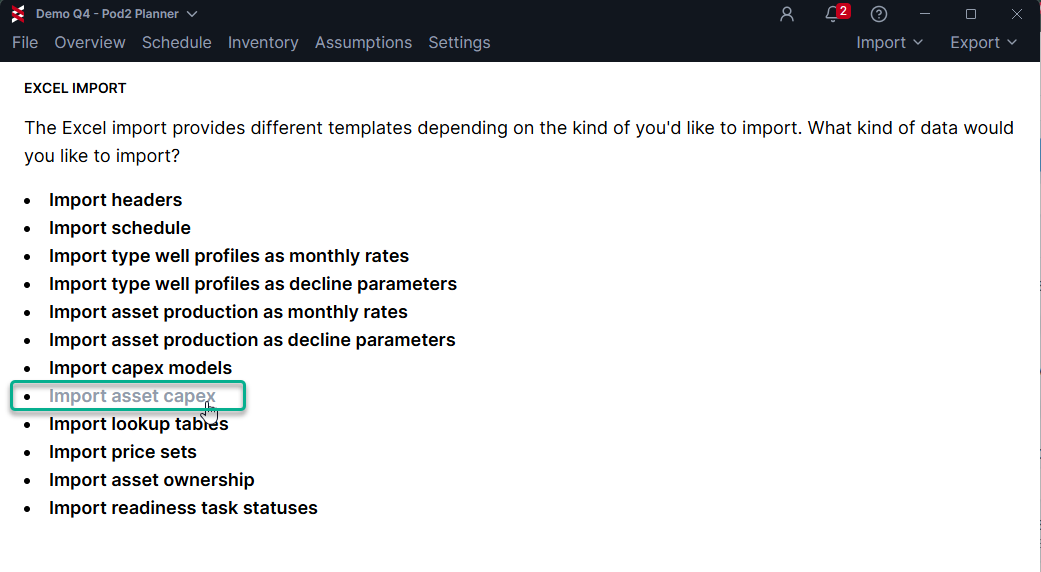
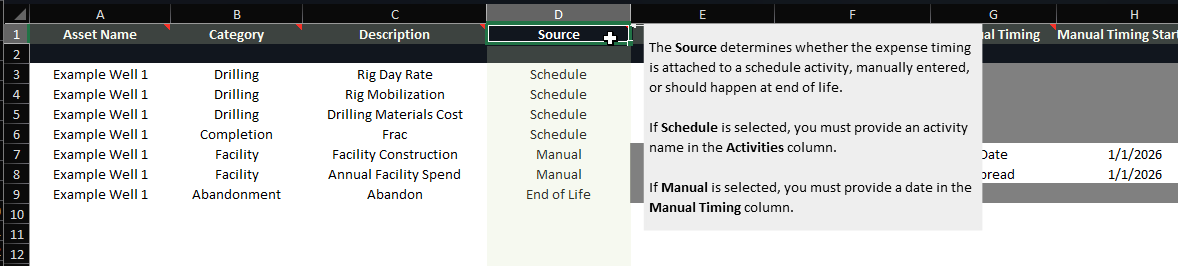
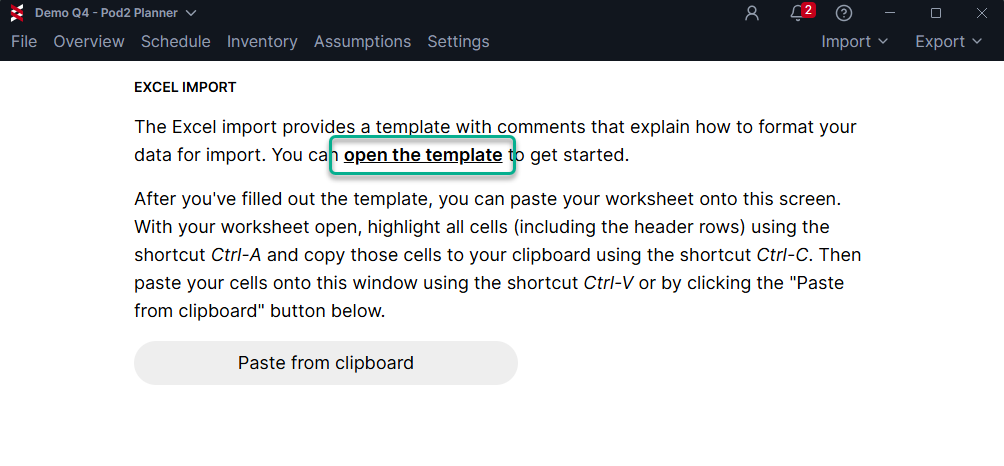
Planner enables you to define asset-specific capex along with a convenient format to import/export capex. To view an example template, go to Import > Import from Excel > Import Asset Capex , then download using the "open the template" link:
There are helper notes located in the template that describe the import options:
Here's an example that models capex spend for 3 central tank batteries:
The assets must exit in your plan before completing the import. You can add them manually in the inventory screen, or in bulk using import headers.

Import Template
In this case the source is "Manual", and the timing can be specified on one date or spread across multiple.
Fill out the template with the appropriate settings, copy the data to clipboard, and go to Import > Import from Excel > Import Asset Capex.
You can view the imported data in the Inventory screen:
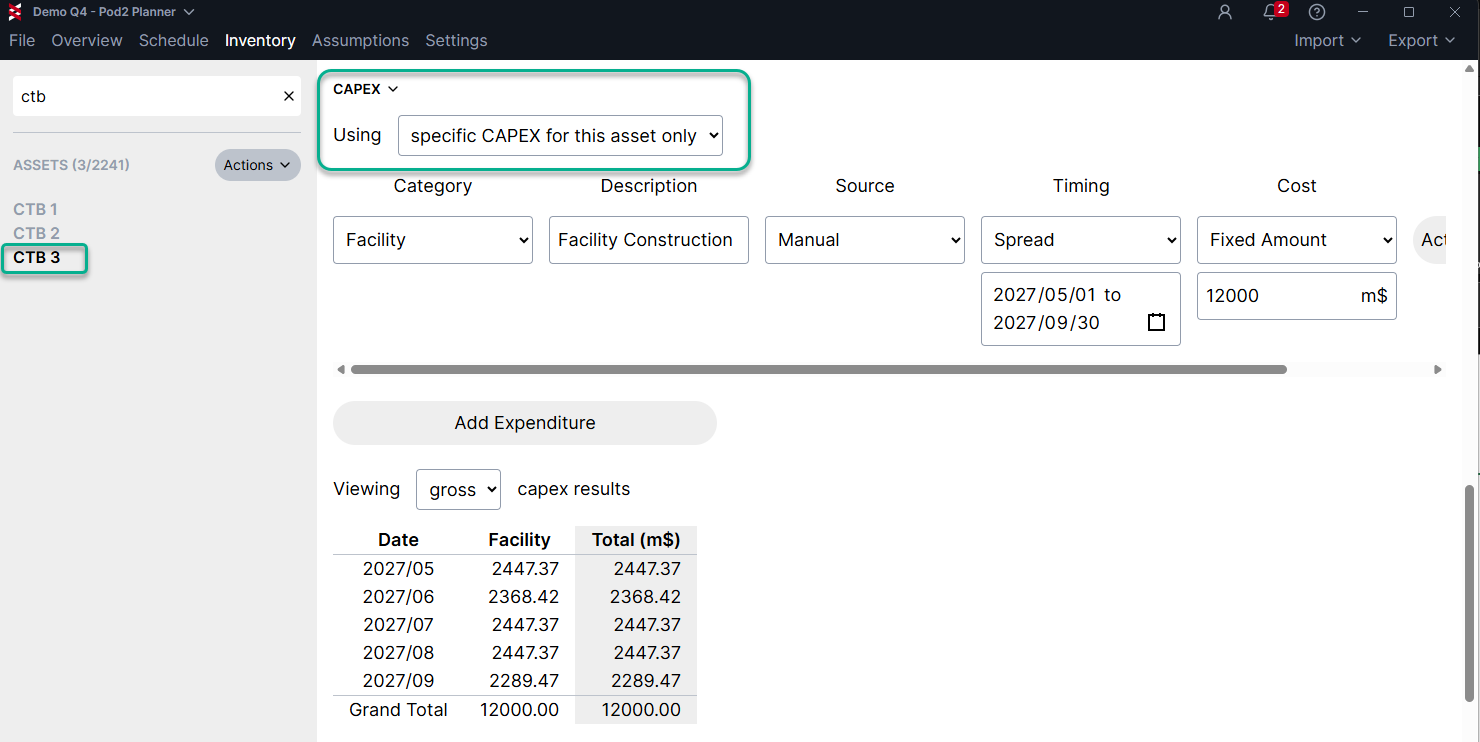
Capex Results
Here's a well level example that replaces Capex Model forecast data with AFE actuals:
In this case, I'll keep the source as "Schedule", as the scheduled activity is up to date in Planner. You could change this to manual change the timeframe if needed, and this will disconnect the spend profile from the schedule.

Import Template
⚠️ NOTE: The asset capex import will replace all capex for a given well/asset. If using the asset capex import to reflect AFE/or actual well costs, be sure to include all capex categories and their amounts in the import. In the future, we may enable a mixed state, where some costs are asset specific and other still reference a capex model.
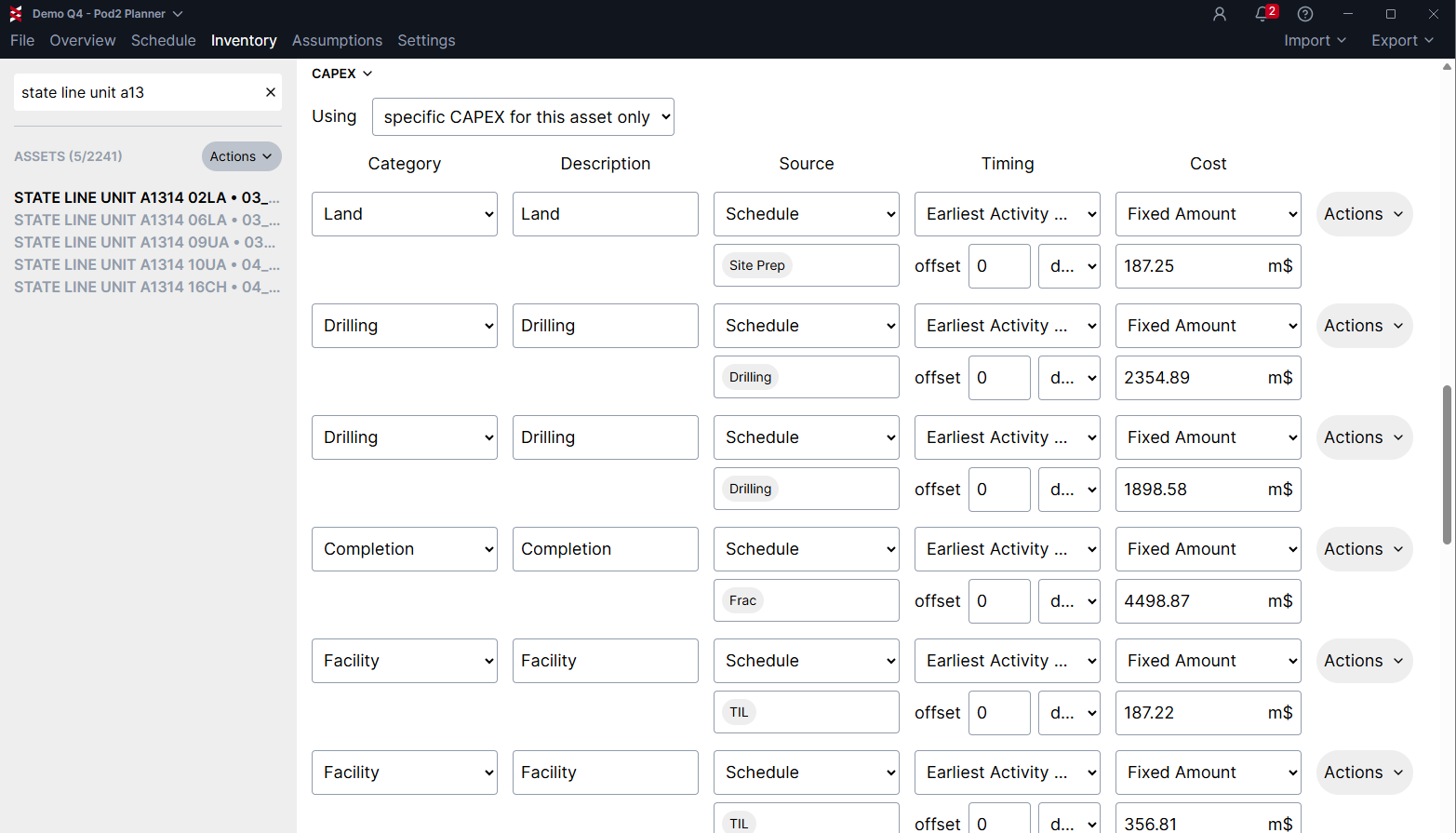
Capex Results
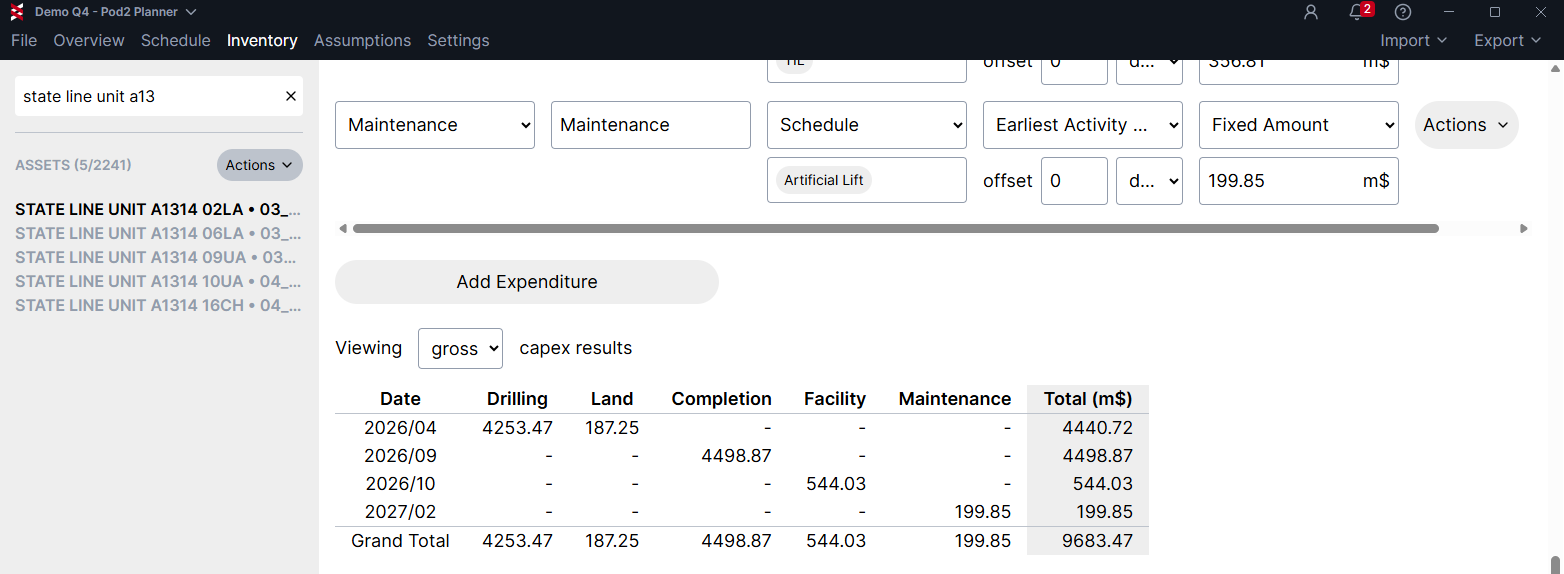
Capex Results Cont.