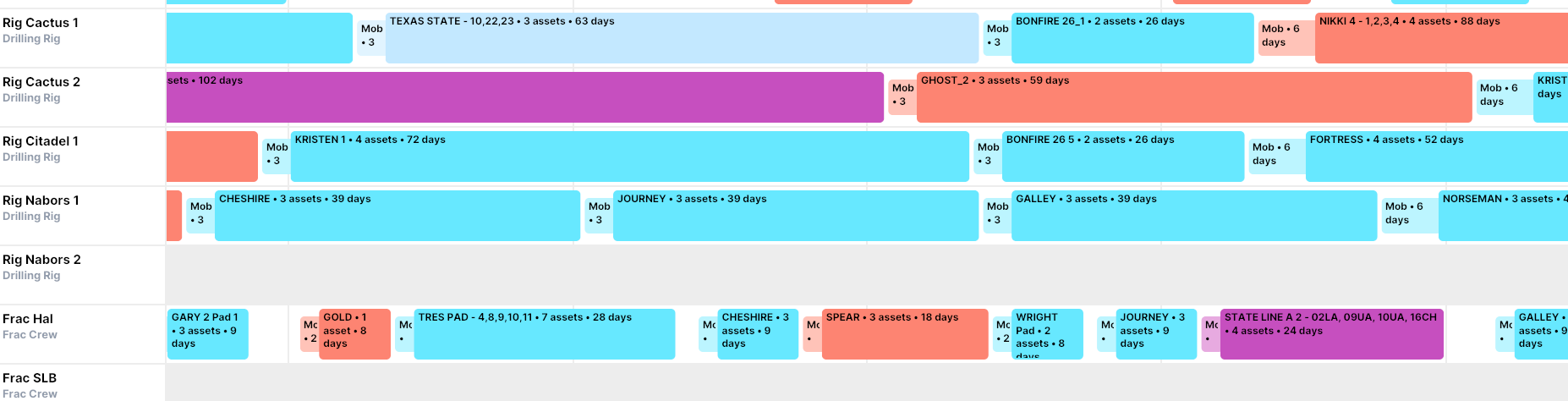
Resource Mobilization
You can apply mob time on resources to reflect the time it takes for rigs and crews to move in-between jobs. You can control when the mob is applied (between pads, for example). You can apply a constant duration, or if you need more granularity you can create an attribute-based table.
These settings are found under Assumptions > Resources
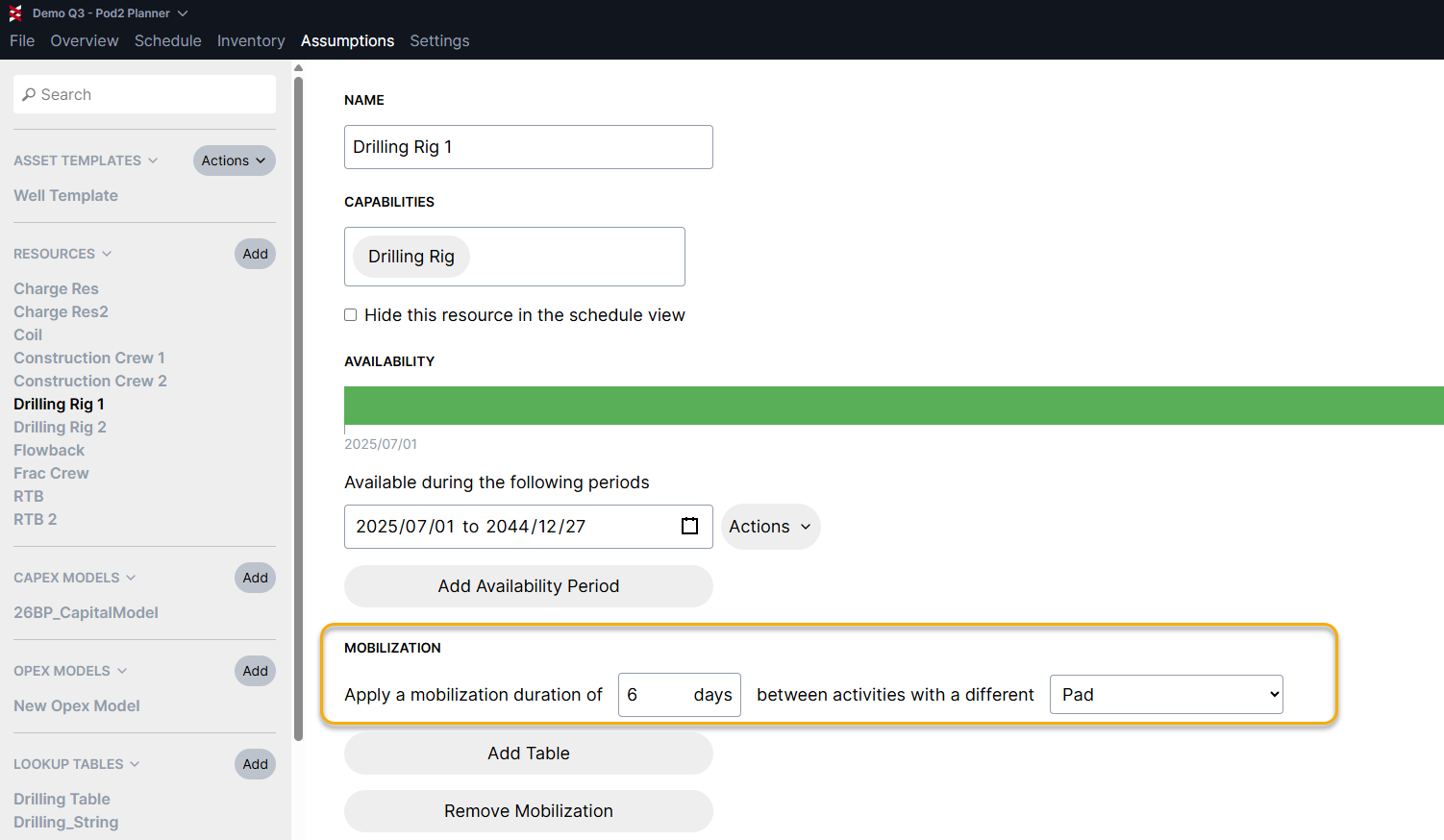
In this simple example, Drilling Rig 1 moves for 6 days between each pad:
If mob times vary a great deal between areas, you can hit "Add Table" and define specific durations based on the well attributes. This example shows different move times between 3 large areas - Midland, Delaware and Central:
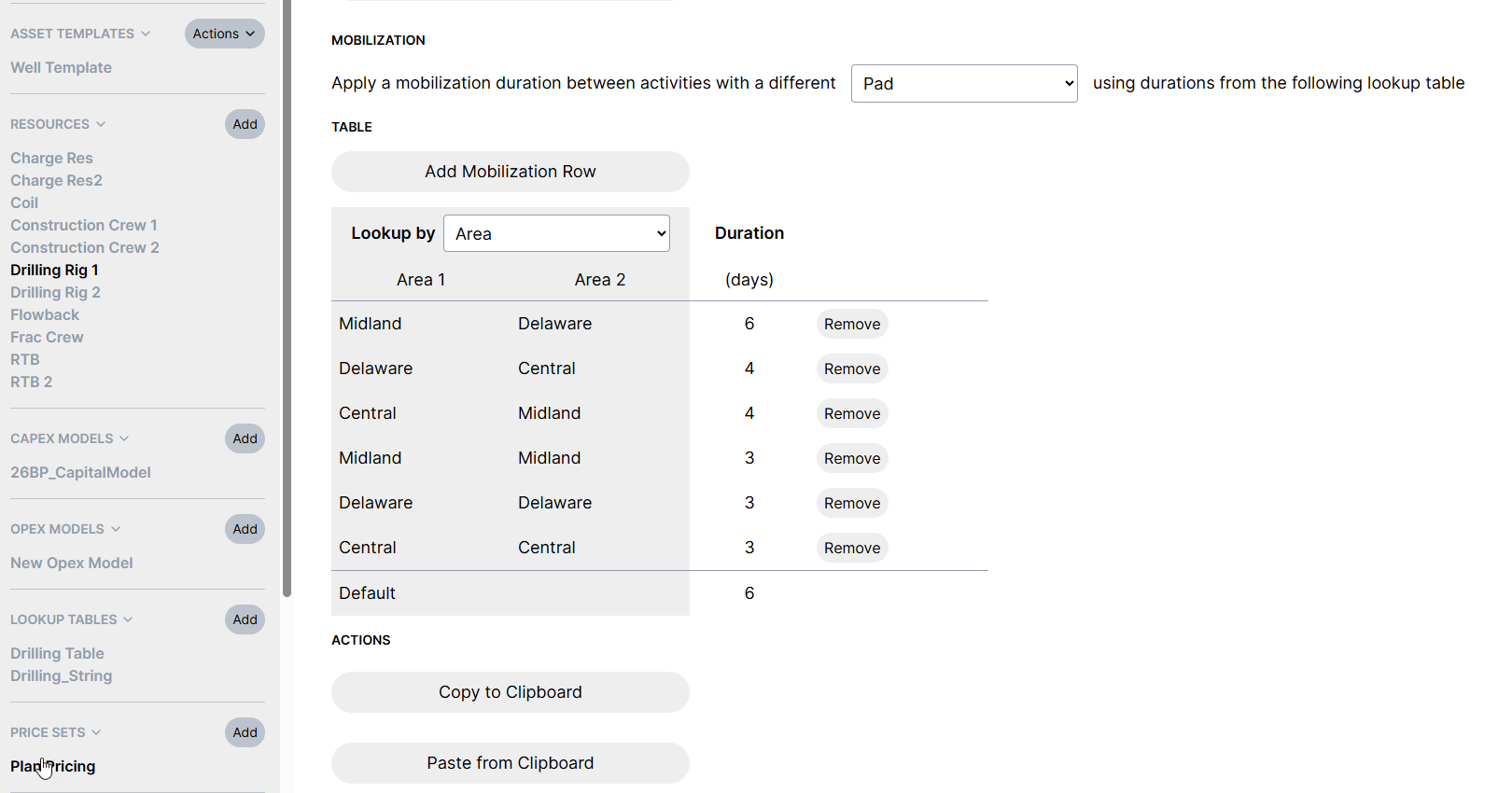
Any time you make a change to your schedule, Planner will check to see if the resource is moving to a different "Area", and it will automatically apply the appropriate duration.
You can use any text attribute to control mob timing, and we recommend included a default value in case there are any attribute data entry mistakes.
Clipboard access is available, making it easy to copy assumptions onto other resources or in/out of Excel if you need to manage large data sets.