
Planner Release Notes V2.8
✏️ Draw Resource Availability Directly on Your Schedule
Planner 2.8 adds new options to draw resource availability or unavailability directly onto resources (a.k.a. "resource availability painter"):
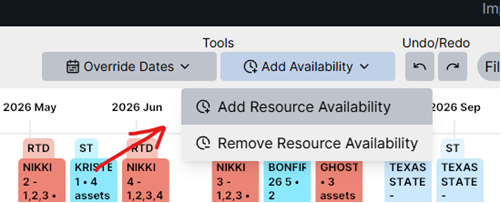
When you select "Add Resource Availability" or "Remove Resource Availability", you can click and drag on the resource to change the availability:
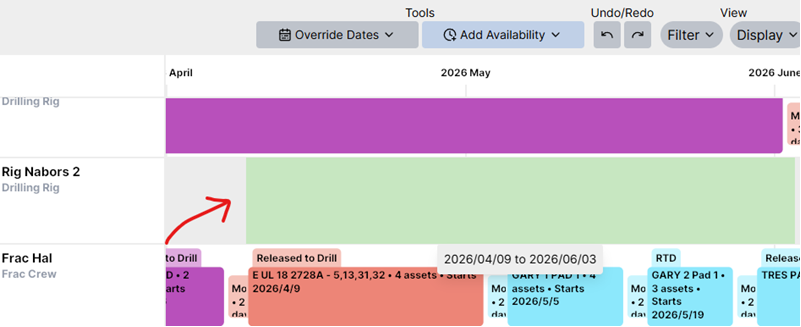
The Planner will display a green rectangle to preview the availability period you're adding, or a red rectangle when you're removing availability.
🔨 Tools and Renamed Scheduling/Planning Mode
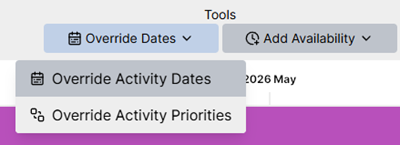
You might've noticed this already from the previous screenshots, but Planner 2.8 introduces "Tools" as a place to group the existing scheduling/planning modes and the new resource availability painter together.
As part of this change, scheduling and planning mode have been renamed to make it more explicit about what they do. "Scheduling Mode" has been renamed to "Override Activity Dates", and "Planning Mode" has been renamed "Override Activity Priorities". The goal is to keep the naming as straightforward as possible to make it easier to find and use these tools.
⚖️ Tax Models
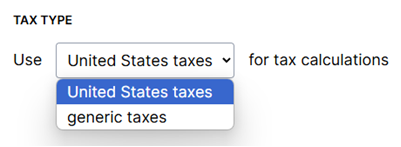
Planner 2.8 adds support for tax calculations! Just like capex models and opex models, you can now create tax models. You can specify which tax calculation type you'd like to use under Settings:
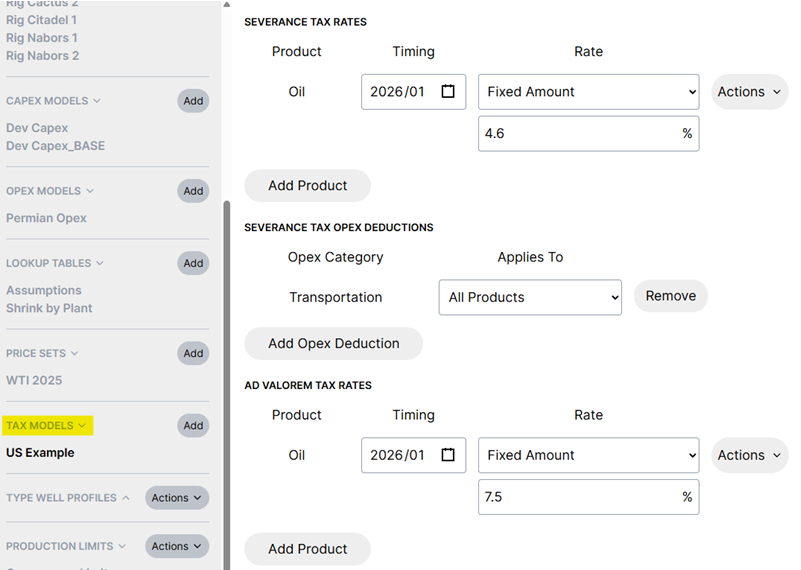
Then you can create a tax model under assumptions for that tax type. For example, United States taxes include severance and ad valorem rates:
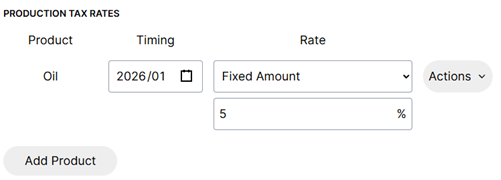
While the generic tax type includes a single rate:
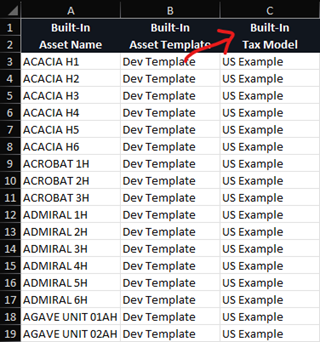
You can specify a tax model for each asset from the Inventory tab or through "Import Headers":
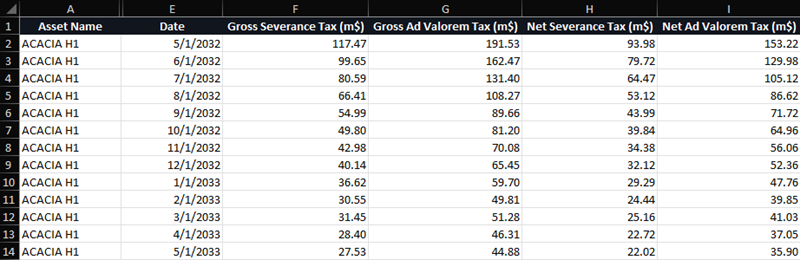
As part of this change, a new "Export Production Taxes to Excel" option is available under Exports. This is also included in Spotfire and Parquet exports. The export looks similar to this and varies depending on the tax type for your plan:
There's also a new tax metric - more on this below!
📊 New Metrics
Planner 2.8 adds three new metrics! Tax, operating income, and before tax cash flow are now available as options under Settings/Metrics:
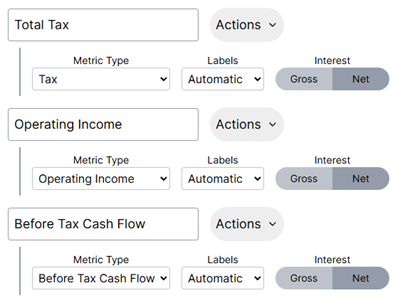
These metrics will be displayed on your schedule alongside any other metrics you currently have:

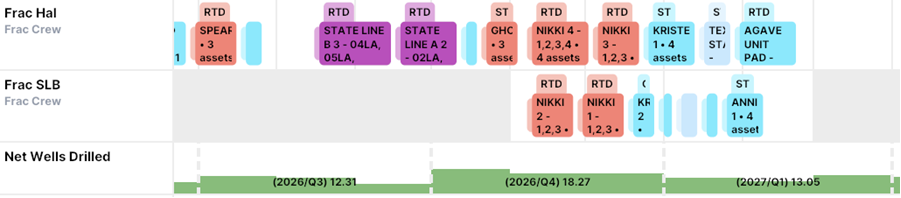
The activity metric has been updated to include start/end options, as well as a toggle between gross and net well counts:

This can be extremely useful when you have net drill targets that you're trying to reach. The metric setup above might look something like this:
📤 Export Improvements
As mentioned earlier, Planner 2.8 includes a new tax export for Excel/Parquet/Spotfire.
Planner 2.8 also adds a new ownership export that contains monthly interests per product:
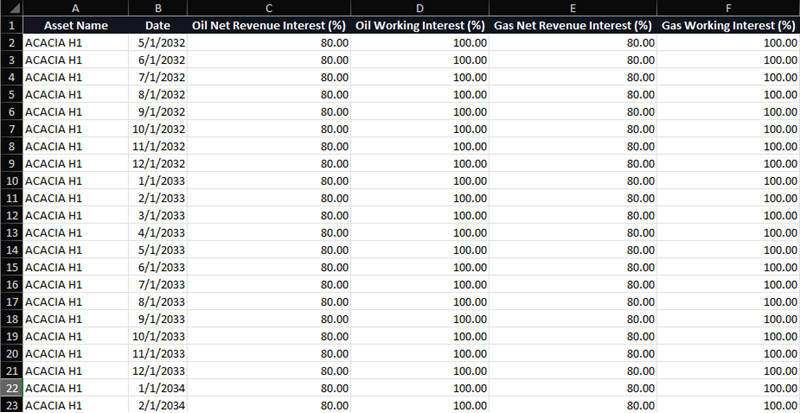
The ownership export is available in all of the exports (Excel, Parquet, Spotfire).
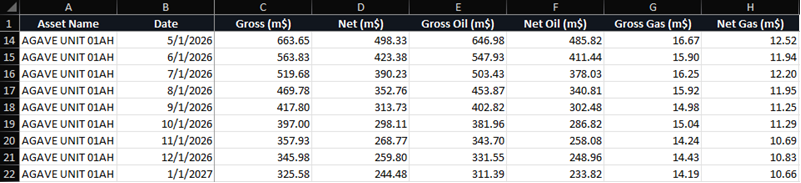
Planner 2.8 also changes the revenue export to split out revenue by product (in addition to the total revenue currently exported):
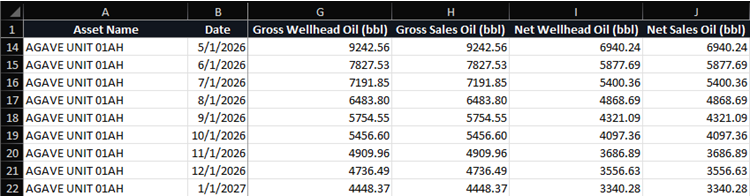
Production exports (both curtailed and potential) have been updated to include gross sales volumes and net wellhead volumes in addition to the gross wellhead and net sales volumes currently exported:
🏁 Faster Than Ever Before
There have been a huge amount of performance improvements in Planner 2.8, spanning calculations (everything from scheduling to economics), schedule visualization (everything you see on the Schedule tab), and more.
Performance is a core part of the overall user experience, and these kinds of improvements help to ensure that the application always feels smooth.
The exact performance increase will vary depending on your plan, but certain calculations are 3-4 times as fast compared to Planner 2.7 - or more! The areas that received performance optimizations include:
Opex calculations (fixed, variable, allocated)
Schedule visualization (metric aggregation, display text, filtering)
Production curtailment calculations (downtime, interference, limits)
Lookup table functions
Lookup table editor for very large tables (e.g., repeated monthly values for a large number of areas)
Inventory when editing attributes in large plans
Oil equivalent calculations (exports, opex allocation)
"Delete All Assets" button
Revenue calculations
Ownership calculations
Shrinkage calculations
There's not really a great image that represents all of these performance improvements, so if you're curious please open Planner 2.8 and try it out for yourself!
👀 Import/Export Buttons Moved
The Import and Export buttons have been moved from the Schedule tab to the title bar:
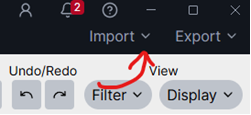
This means these buttons are visible from all tabs now! This will save clicks and make it easier to import and export.
❎ Bulk Delete Type Well Profiles
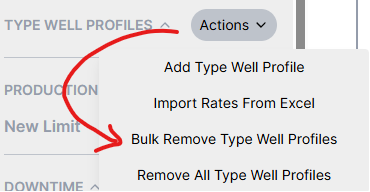
Planner 2.8 adds a new option to delete type well profiles in bulk. This process is similar to bulk deleting assets. It allows you to paste a list of specific type well profiles to delete:
📏 Resizable Sidebars
The sidebars in the Inventory and Assumptions tab can be resized in Planner 2.8:
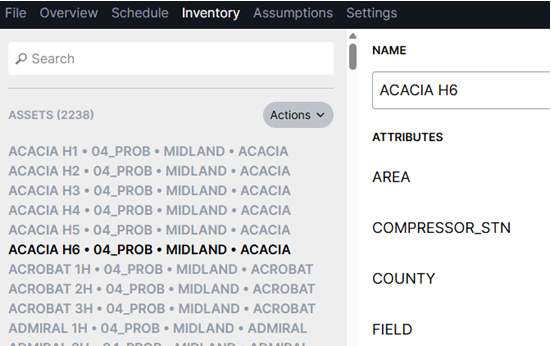
This can be really helpful to display long asset names or when you've appended attributes through Settings/Inventory.
🔗 ComboCurve Integration Changes
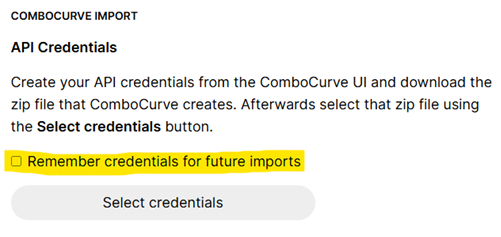
Planner integrates directly with ComboCurve to import well header information and production. During ComboCurve integration, the Planner uses your ComboCurve API key to connect to ComboCurve.
In previous versions of the Planner, this API key was always saved for future connections. Planner 2.8 adds an option to avoid saving the ComboCurve API key and remove any saved API keys.
🗺️ Improved Simops and Interference Testing
In some rare cases it was possible for earlier versions of the Planner to identify false positives for nearby wells depending on the geometry (box or capsule). Planner 2.8 uses a more accurate method for distance testing to remove these false positives while also being faster.