
Trouble writing calculations / formulas not evaluating properly
To get started writing a new calculation:
- Delete the 1+1 that's shown by default
- To reference table data, start typing "lookup"
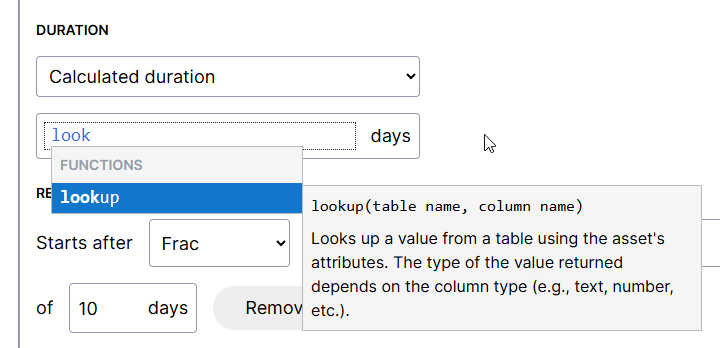
3. To reference an attribute, type a left bracket [ to see available attributes
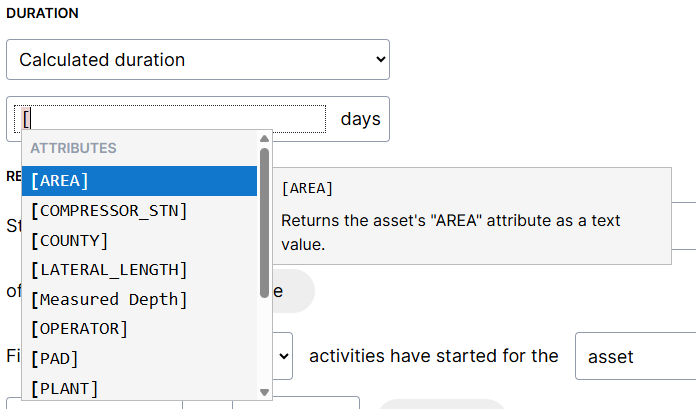
If a function isn't evaluating as expected, here are a few things to check:
- Ensure that references to lookup tables are surrounded by quotation marks:
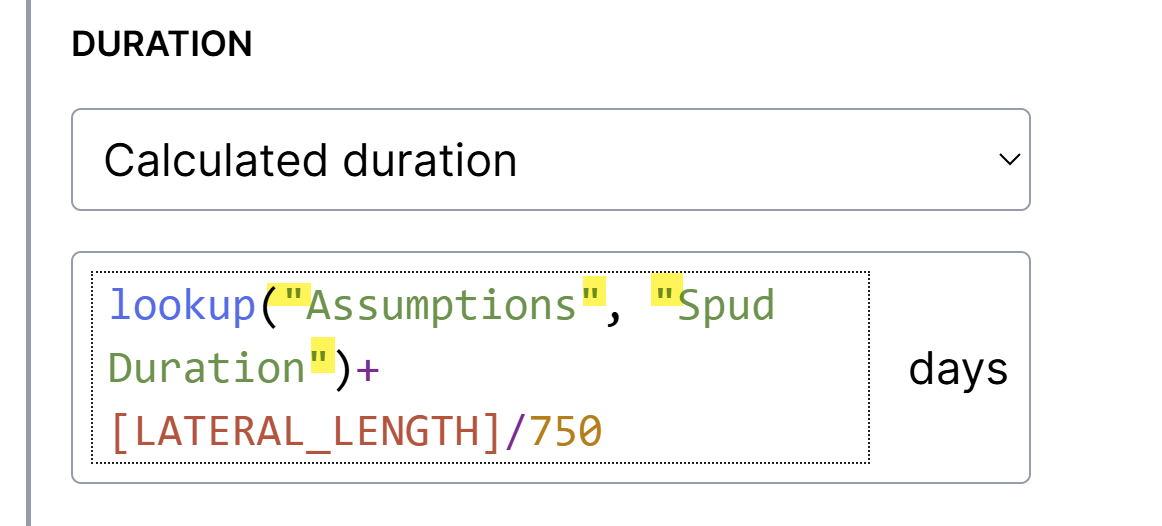
2. Ensure that references table names and columns are spelled correctly
NOTE: The references are not case sensitive