
Planner Release Notes V2.4
✅ Well Readiness
Well readiness is important across all aspects of execution and near term planning. For example, asset teams need to be able to understand the priorities based on the near-term drill schedule (e.g., a permit won't be ready in time to meet the planned spud date) and move wells around to accommodate operational realities. Planners need to be able to identify opportunities to accelerate eligible pads, or re-prioritize based on the lead time needed for certain wells.
Readiness is all about being able to execute on your drill schedule and dealing with operational reality. The Planner has always been about bridging the gap between operations and planning, and even the first version was designed with readiness in mind. That's why the team is so excited to announce...
Planner 2.4 adds support for well readiness! You can now see important milestones (e.g., ready to stake, ready to drill) and task statuses (e.g., permits, drill plan, plats) directly on your schedule. A huge aspect of the readiness design was focused on displaying milestones and statuses in an intuitive way, so here's what that looks like:

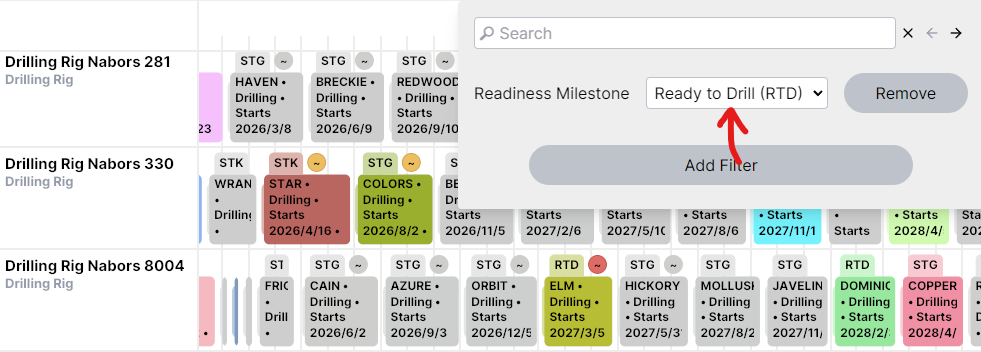
Each well moves through a series of readiness tasks that you can set up however you'd like. As certain tasks are completed, the well advances between milestones. All task statuses that are relevant to the next milestone are displayed on the schedule. Both the milestone (e.g., "Ready to Drill", "Staging", etc. in the screenshot) and statuses are displayed on the top of each activity (or group), and hovering over the activity will show the full readiness detail.
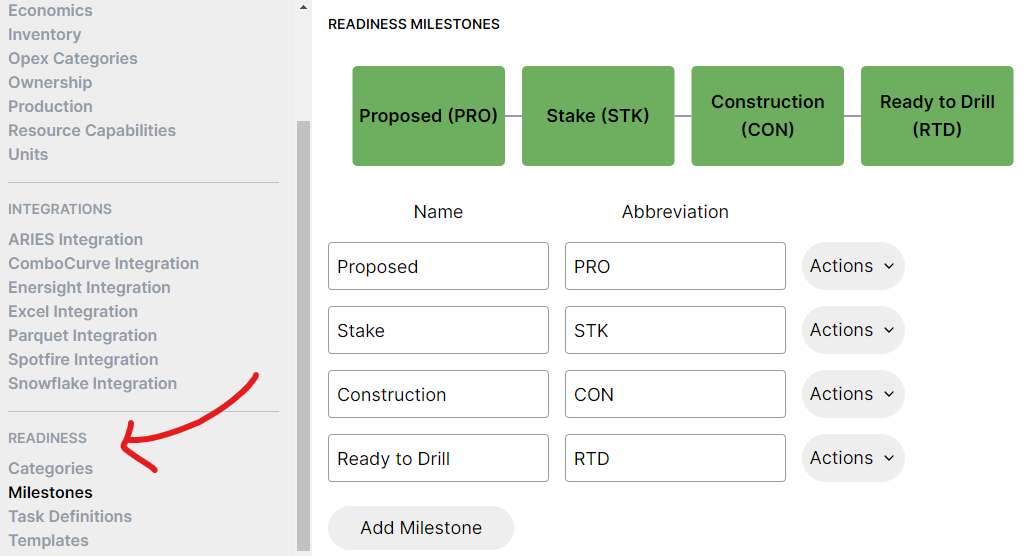
There's a new readiness section under the Settings tab to customize tasks, milestones, categories, and templates (which tasks apply to each well) to match your current process.
Statuses can be loaded into the Planner in bulk through a new Excel import:

There's also a filter option to quickly locate wells that could be accelerated on the schedule, or delayed if they're at risk:
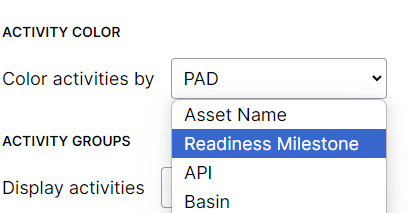
You can color by readiness milestone too:
All of the new readiness functionality is hidden by default while early adopters try it out and provide feedback. If you would like to start using it today, please reach out to Bari (bari@pod2.co) or Leslie (leslie@pod2.co).
⚠️ Date Obligations
Planner 2.4 introduces new functionality for date obligations. Date obligations are basically date-based warnings to let you know when an activity happens too late (e.g., a spud needs to happen before a specific date per well).
Date obligations are really useful to handle lease stipulations around well timing, well expiry, etc. where you know activities must start or finish by a specific date.
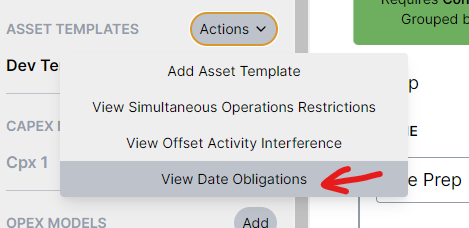
To set up date obligations, there's a new "View Date Obligations" option under the Asset Templates actions:
You can describe which activities need to start (or finish) by any date attribute. In the example below, the date attribute is called "Required Spud Stip", but you can use any attribute you want.
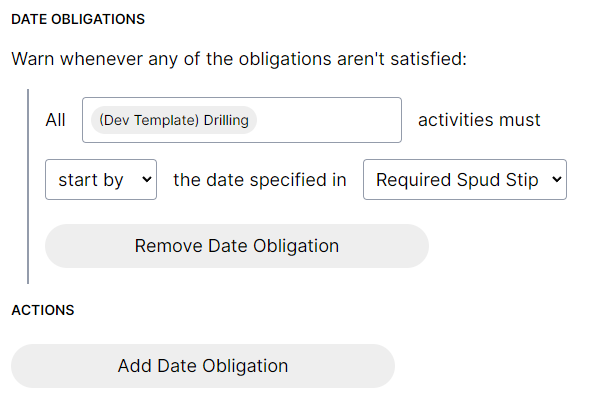
If the activities happen too late, you'll get a warning about the obligation being missed:
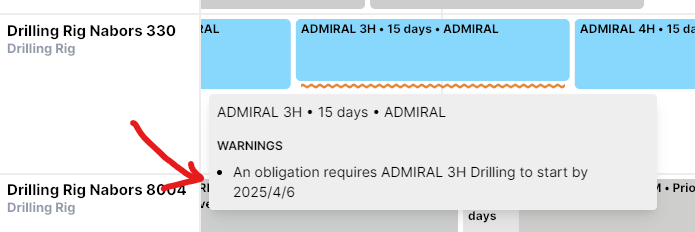
As you can probably tell by the screenshots, date obligations are really easy to set up! They're an extremely useful way to catch timing problems live as you move wells around on your schedule.
🖨️ Image Export
With so many people sharing schedules created by the Planner, it's time to make that process much easier.
Planner 2.4 adds a new image export so you can easily generate images from your schedule.
Here's what it looks like:

This opens a window where you can specify the time range, zoom, row height, and other details about what you'd like to include on the image.
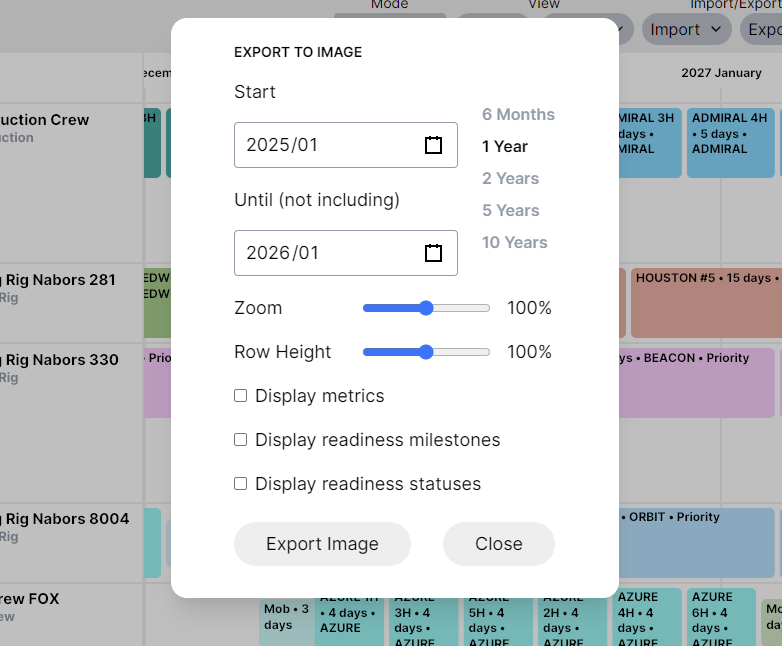
"Export Image" selects the location to save the image. The exported image will be a single large image file (png) that you can easily send in email or print.

📤 Parquet and Spotfire Export Improvements
Planner 2.4 adds the ability to include extra attributes on all exported Parquet and Spotfire files. This is really useful for including unique well identifiers or other attributes in each table (without needing a table join in BI tools).
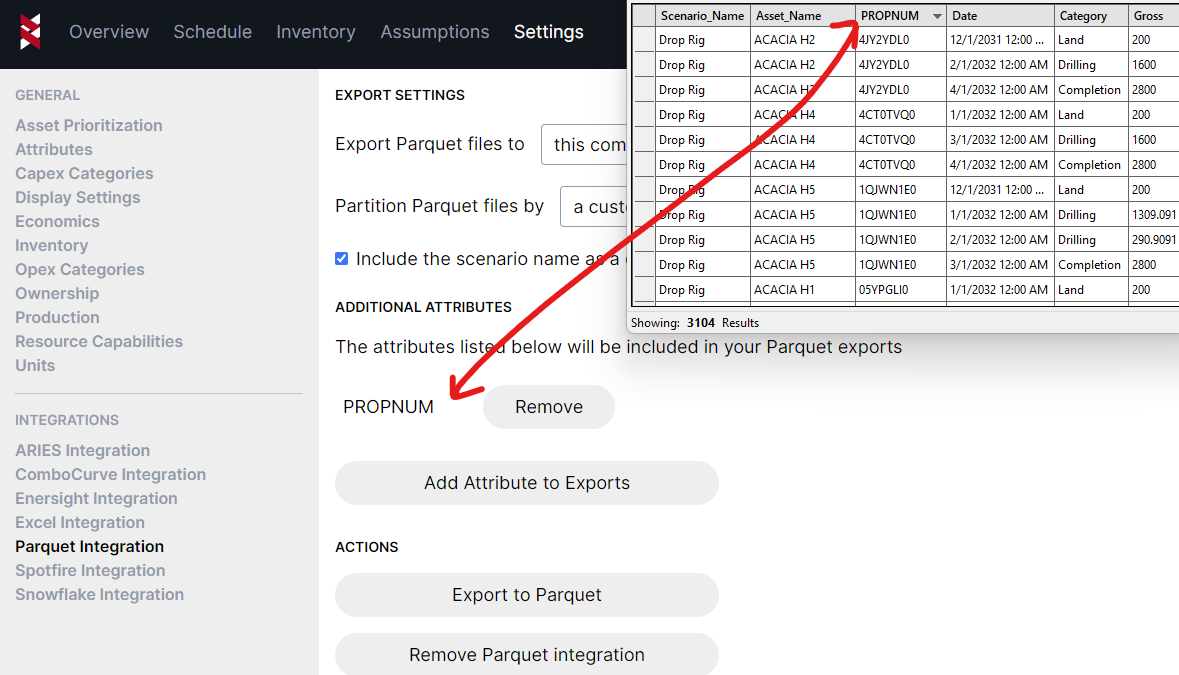
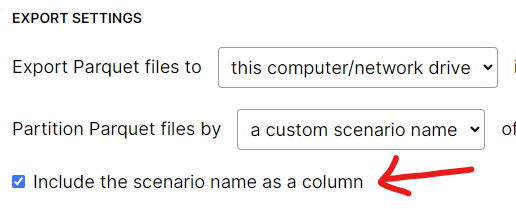
You might've already noticed it on the last screenshot, but Planner 2.4 also adds an option to include a scenario column in each exported file, so you can easily reference the scenario name in BI visualizations, or merge multiple scenarios together into a single table.
If you want to use well locations in your visuals, the Parquet and Spotfire exports now include coordinates in the "Attributes" export:

There are plenty of other user experience improvements (performance, confirm dialogs, schedule visual, making "override" activity text optional, "Ctrl-F" hotkey for schedule filters, and more), but those are all of the release highlights for now!