
ComboCurve Integration | Import & Export
Planner has a two-way integration connection with ComboCurve. A typical use case involves using ComboCurve as the system of record or starting place for your inventory well list, and importing well header data directly into the Planner for scheduling and scenario analysis. Once you have a detailed schedule and realizable plan within the Planner, you can then send schedule data and attributes back to ComboCurve for further production analysis and forecasting.
To get started you'll need a ComboCurve API Key and a Service Account Key
This can be found by navigating to the API & Sync tab on the company page in your ComboCurve account or going directly to the URL at:
https://yourcompany.combocurve.com/company/api-sync where yourcompany would be your company's subdomain
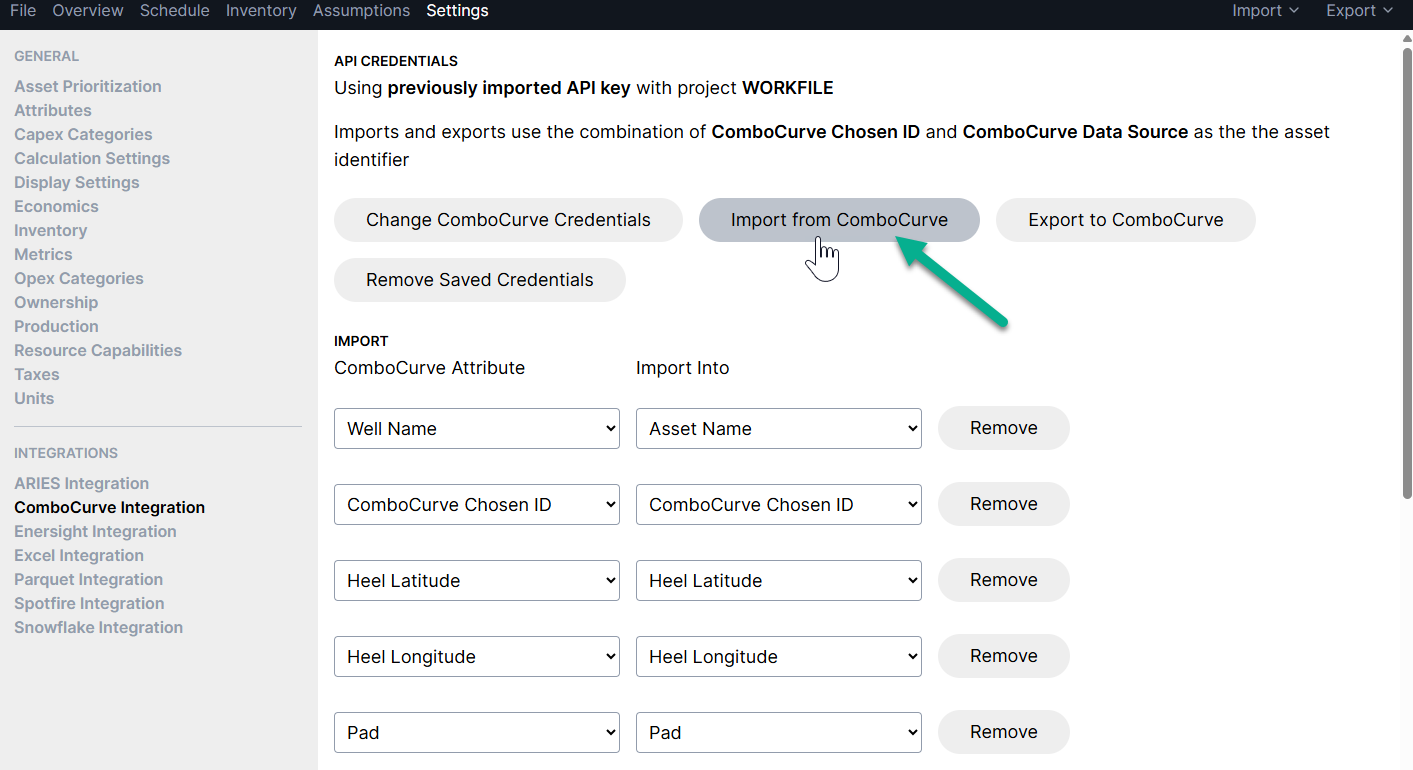
Within the Planner, navigate to Settings > Integrations > ComboCurve Integration, hit "Add ComboCurve integration" and enter your credentials


Once you've made the connection to ComboCurve you can configure data mappings for importing and/or exporting

Once mappings are set up, to move forward with an import from ComboCurve to Planner, hit the "Import from ComboCurve" option:
In the import screen, you'll see 4 sections of settings that will control which wells are imported and how they'll be treated in Planner. Here's a typical set-up:
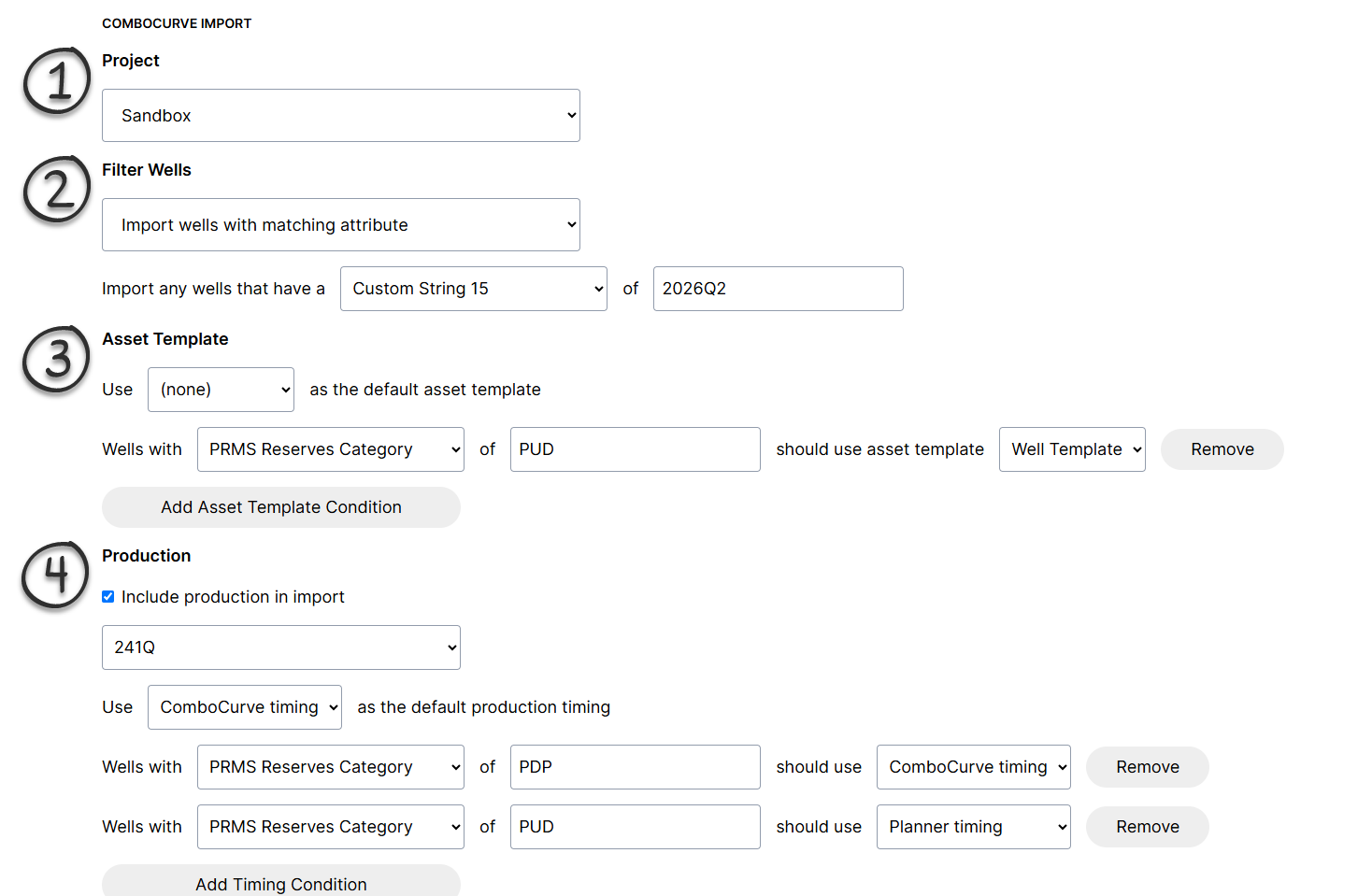
Specifies which ComboCurve project to use for import
Filters the import to wells with certain criteria
Controls how wells are scheduled in Planner by specifying which Asset Template to use
-
Specifies which wells will include production forecast updates from ComboCurve, and if forecast start dates should use the forecast start date from ComboCurve (Use ComboCurve timing) or if they should use the Planner schedule (use Planner timing)
The example above is typical, where PDPs use ComboCurve timing for forecast start dates, and PUDs will be schedule in the Planner using an asset template
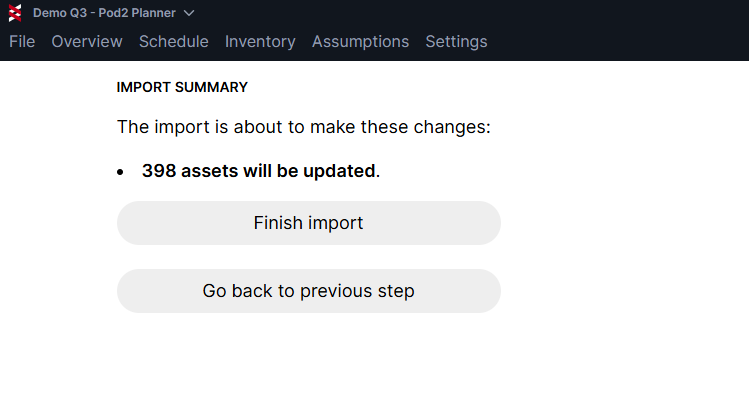
Once your import settings are complete, hit "Preview Import" and review the summary before finalizing
If you need help getting an integration set up, don't hesitate to reach out: support@pod2.co