Display Options | Metrics
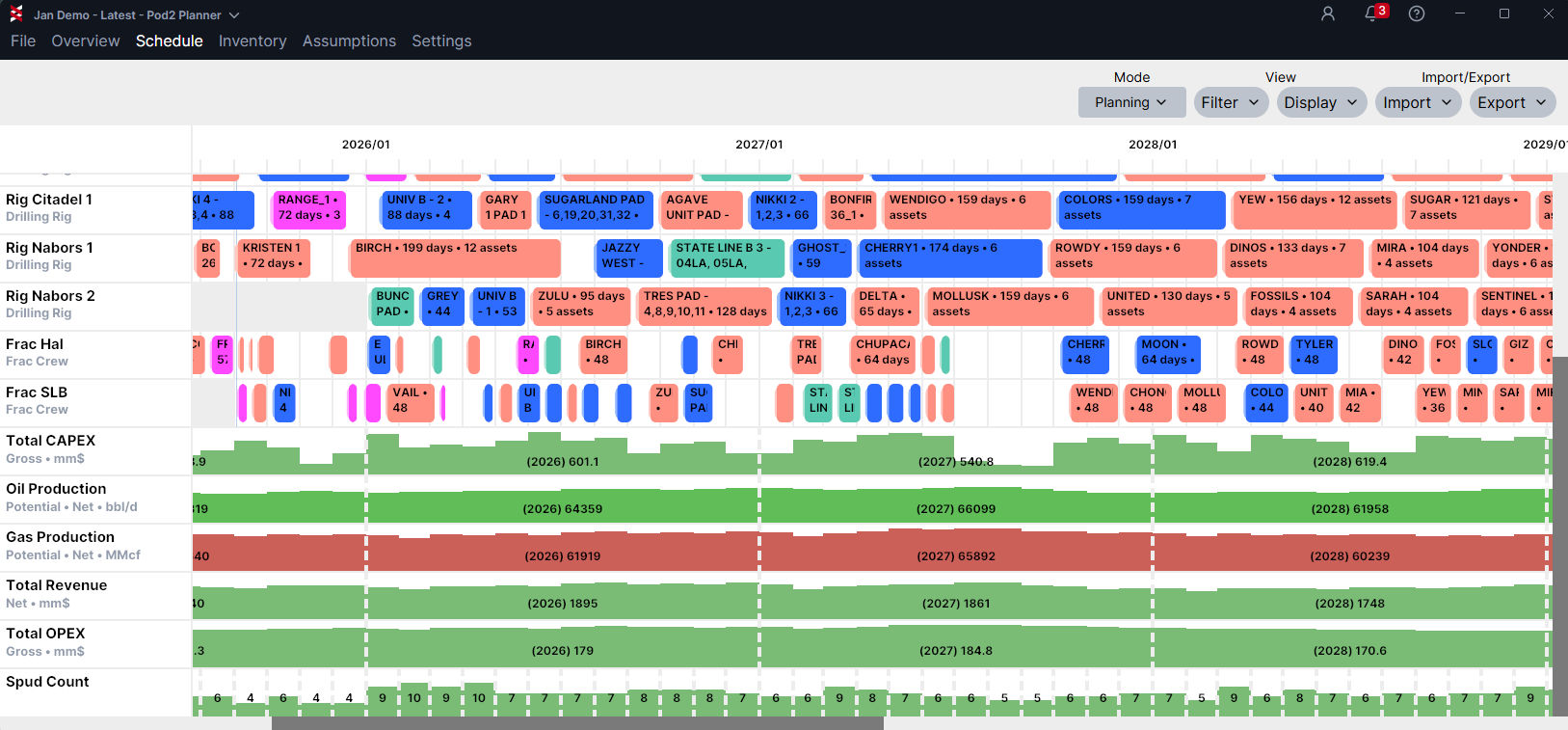
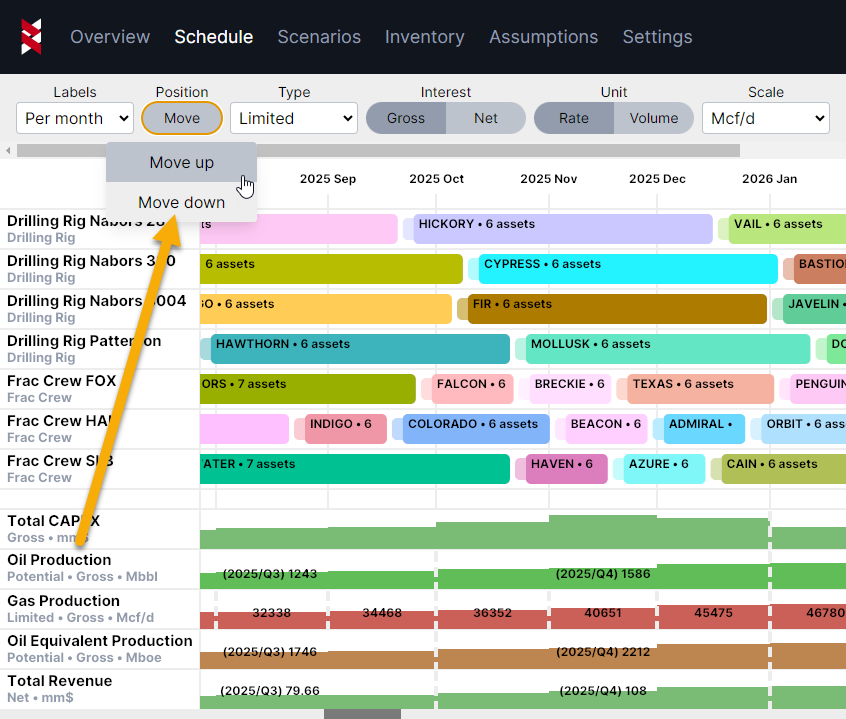
Click on a metric label to expose periodicity, interest, unit and scale options above the Gantt chart.
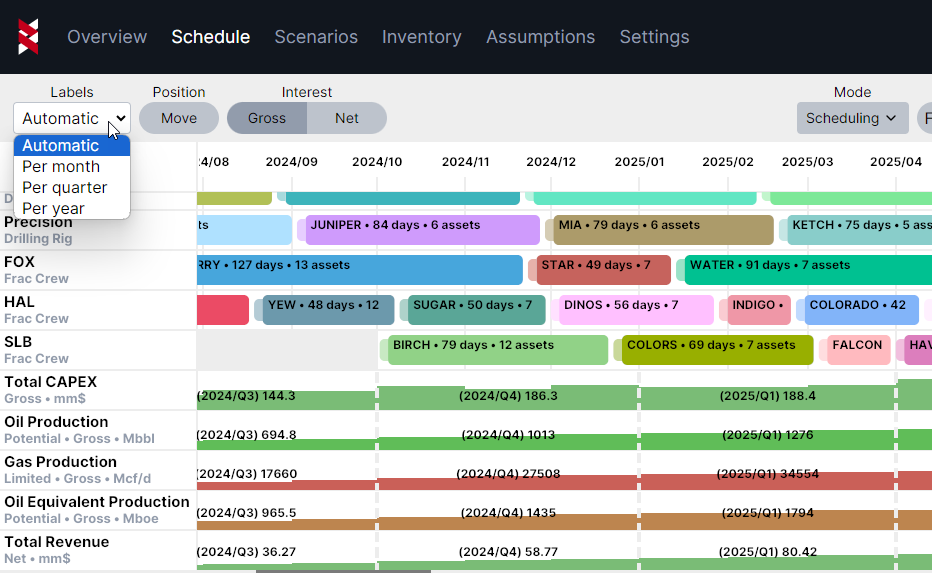
With Automatic selected, periodicity will adjust based on your zoom level in the Gantt chart. You can also choose monthly, quarterly or per year for the periodicity to stay frozen regardless of zoom level.
Capex can be viewed as gross or net by toggling the Interest button.
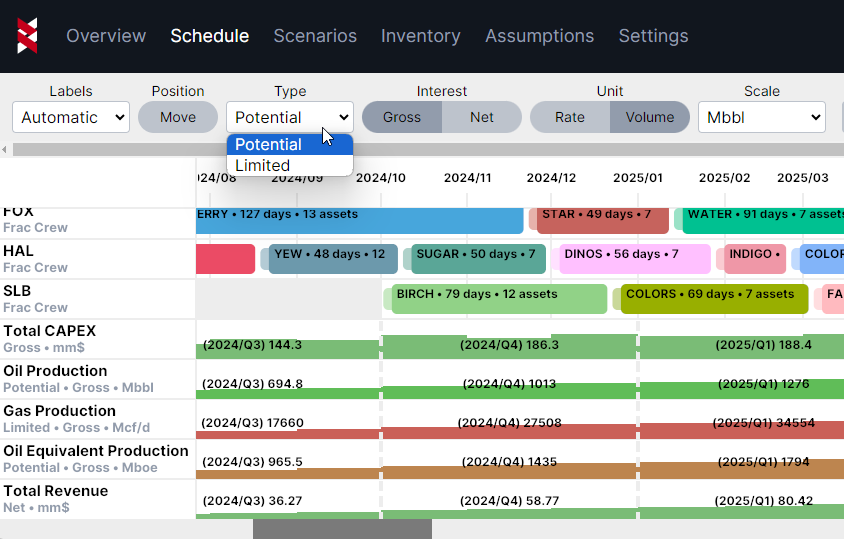
Production can be viewed as Potential or Limited, Gross or Net, Rate or Volume and you can change the scale.
NOTE: Production exports currently reflect Limited production only. Limits can be disabled to export Potential results. This is not tied to the display options shown below.
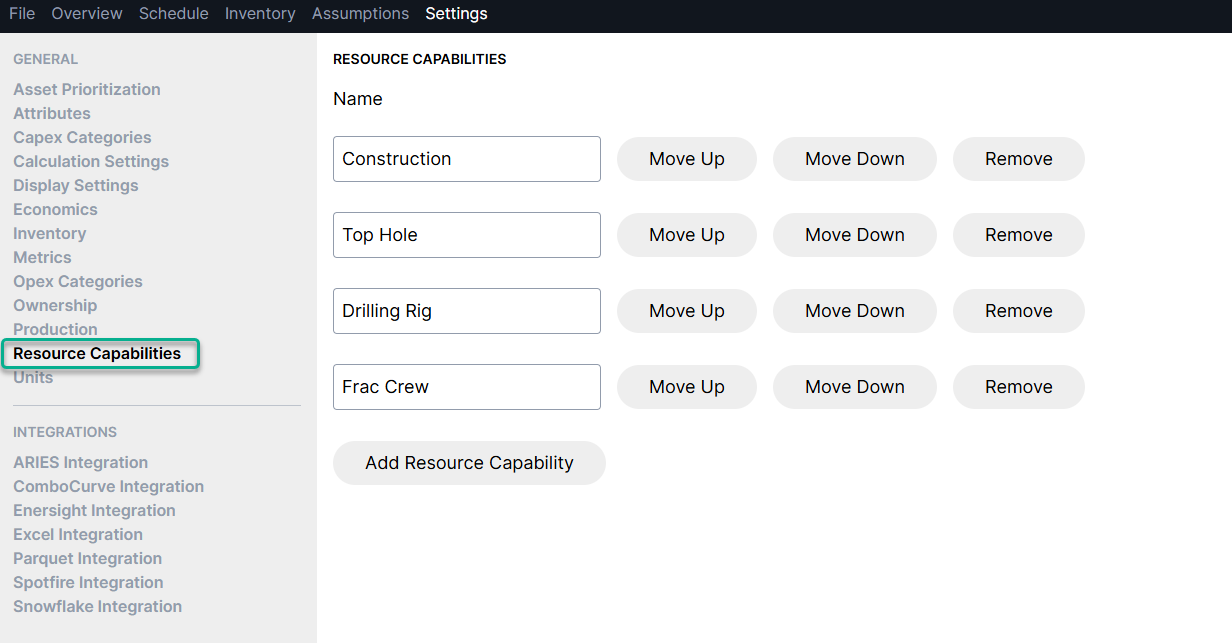
You can reorder the metrics list, just click on a metric name to expose the "position" button in the grey menu ribbon and move up or down as needed. Currently, this functionality only applies to metrics, but we'll likely apply the same functionality to resources soon (you can control the order of resource types under Settings > Resource Capabilities)
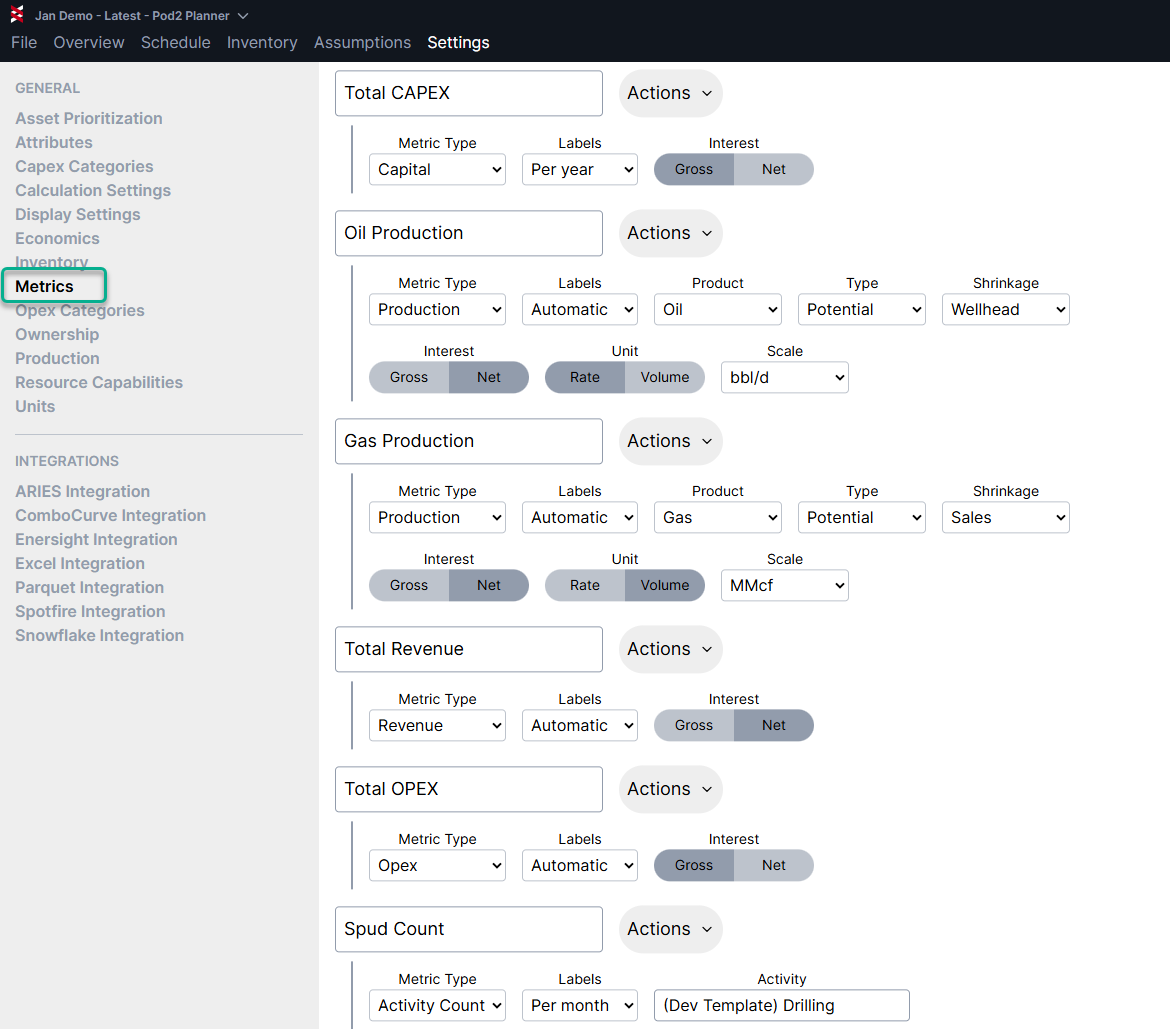
Additional metrics options can be found under Settings > Metrics
You can choose which metrics to show in the Schedule View. You can also control the unit and interest settings from this view.
Available metrics are:
- Activity Counts
- Capital
- Production Streams, including BOE equivalent
- Revenue
- Operating Costs