Scheduling | Simultaneous Operations (SIMOPs) Restrictions & Coordinates
Do you need to consider nearby operations when it comes to short-term D&C scheduling? Lots of people do this manually or in custom tools, and sometimes they get caught off guard when it's time to rig-up but there's a frac job happening too close for comfort.
You can apply simops restrictions that will use wellbore distances to automatically adjust your schedule to avoid conflicts. It's simple, it's fast, and it can help make sure your plans will work for operations.
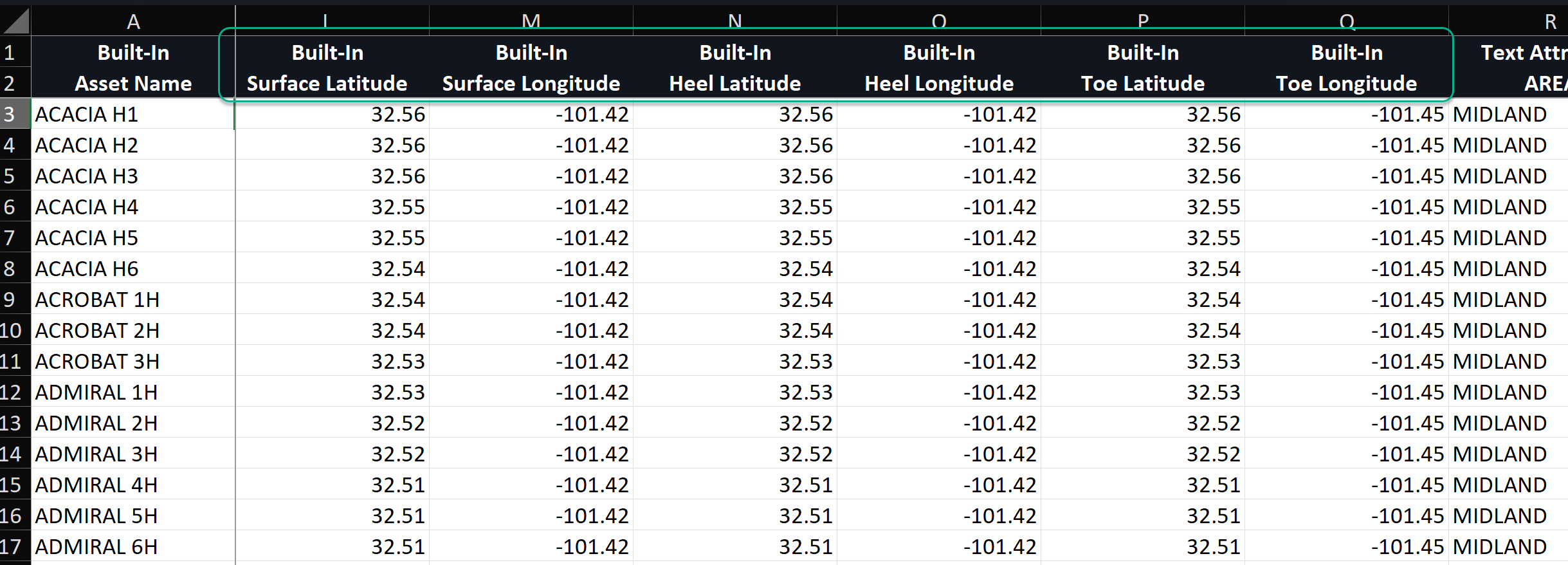
Well coordinates (WGS 84) can be imported using the header import or manually input in the Inventory
Format for bulk importing lat/long coordinates (WGS 84):
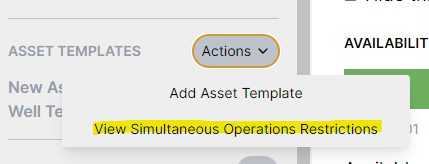
You can view or update simops restrictions under the Assumptions tab, under Asset Templates > Actions:
Restrictions are applied based on wellbore distances or other conditions (e.g., nearby frac for the same formation). For example, to avoid fracing while drilling or fracing is happening nearby, it might look something like this:
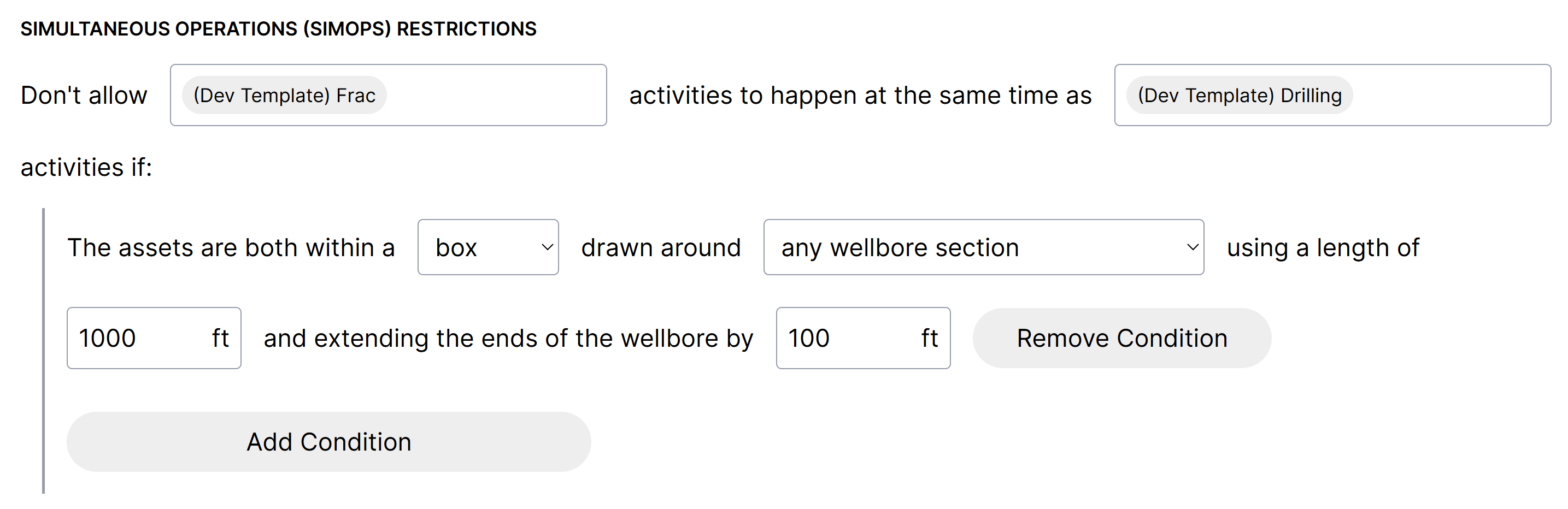
You have the following options:
Specify which activities conflict with each other
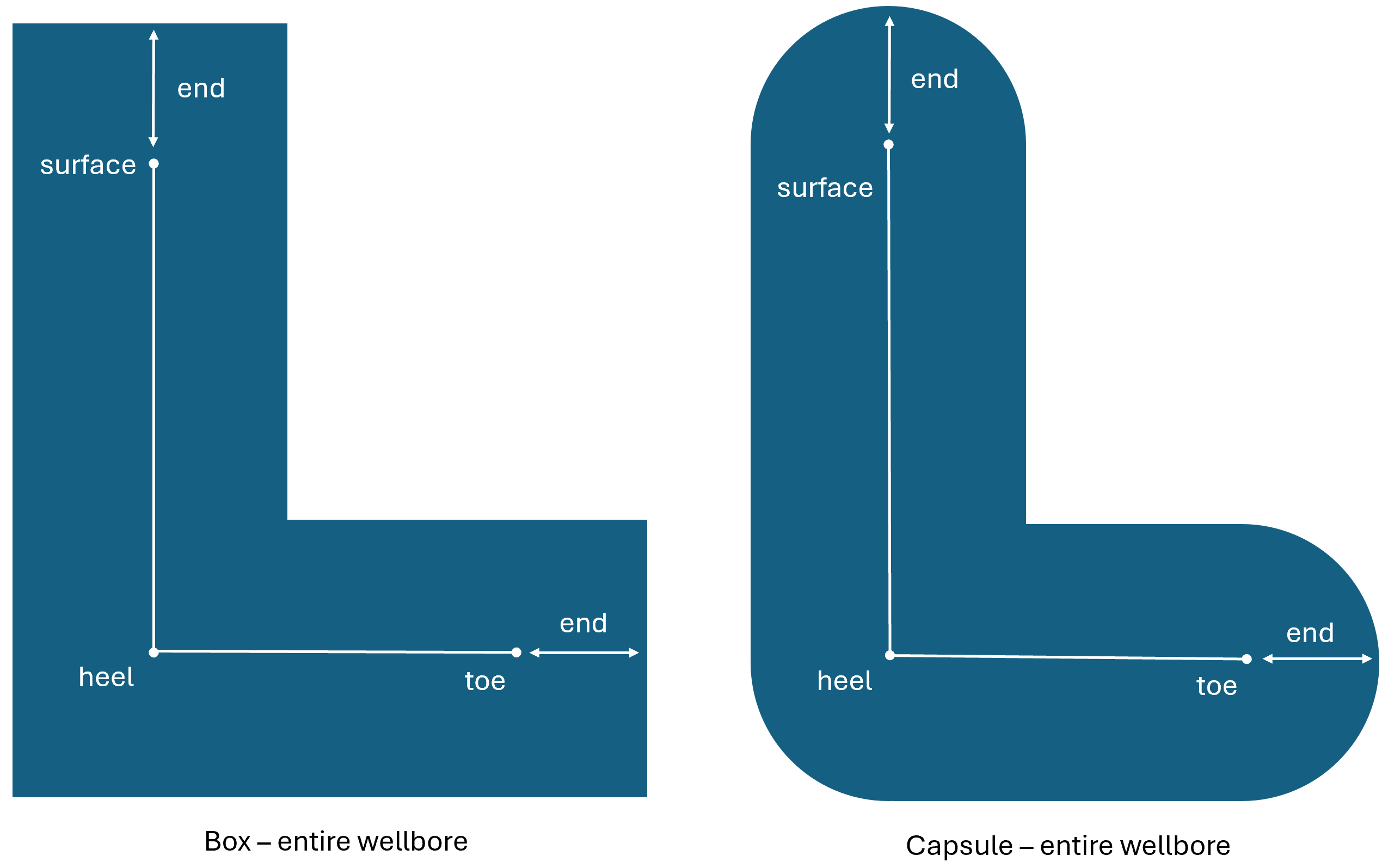
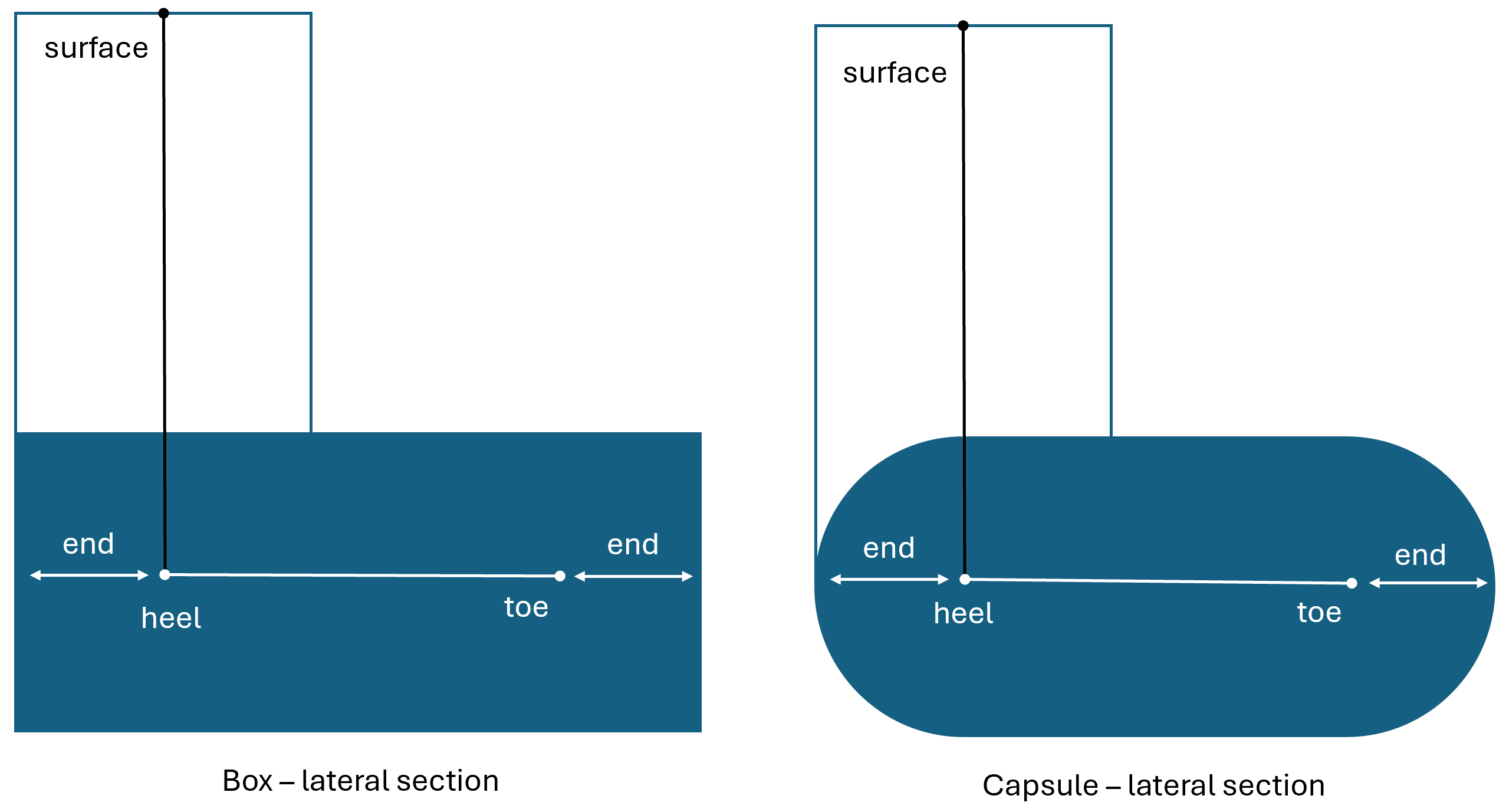
Box or capsule shape to "draw" around the wellbore
Evaluate the entire wellbore or just the lateral section
Specify distance or an attribute group (like for formation)
Apply multiple conditions within each restriction
Apply multiple restrictions to your plan